Guide · How-to
Turn your pattern into pattern cards and a PDF
Type in your pattern as text and it’s organized into pattern cards and a PDF with a cover, materials, abbreviations, instructions, and notes.
The Pattern cards page turns a pattern you’ve written by hand into a form you can share with others. It works the same whether it’s for sale, a free pattern for a friend, or a record to post on Instagram.
What you enter
- Basic info: pattern name, designer name, Instagram account, category, tool, difficulty, and a one-line intro
- Must-have info: yarn amount and the original yarn name, hook or needles used, gauge, and size and finished measurements
- Abbreviations and symbols: write one per line as “abbreviation : meaning.”
- Pattern text: a line that starts with # becomes a step heading, and long sections are split across cards automatically.
If you’re not sure what to include, start with A checklist of what every pattern needs.
Cover and design
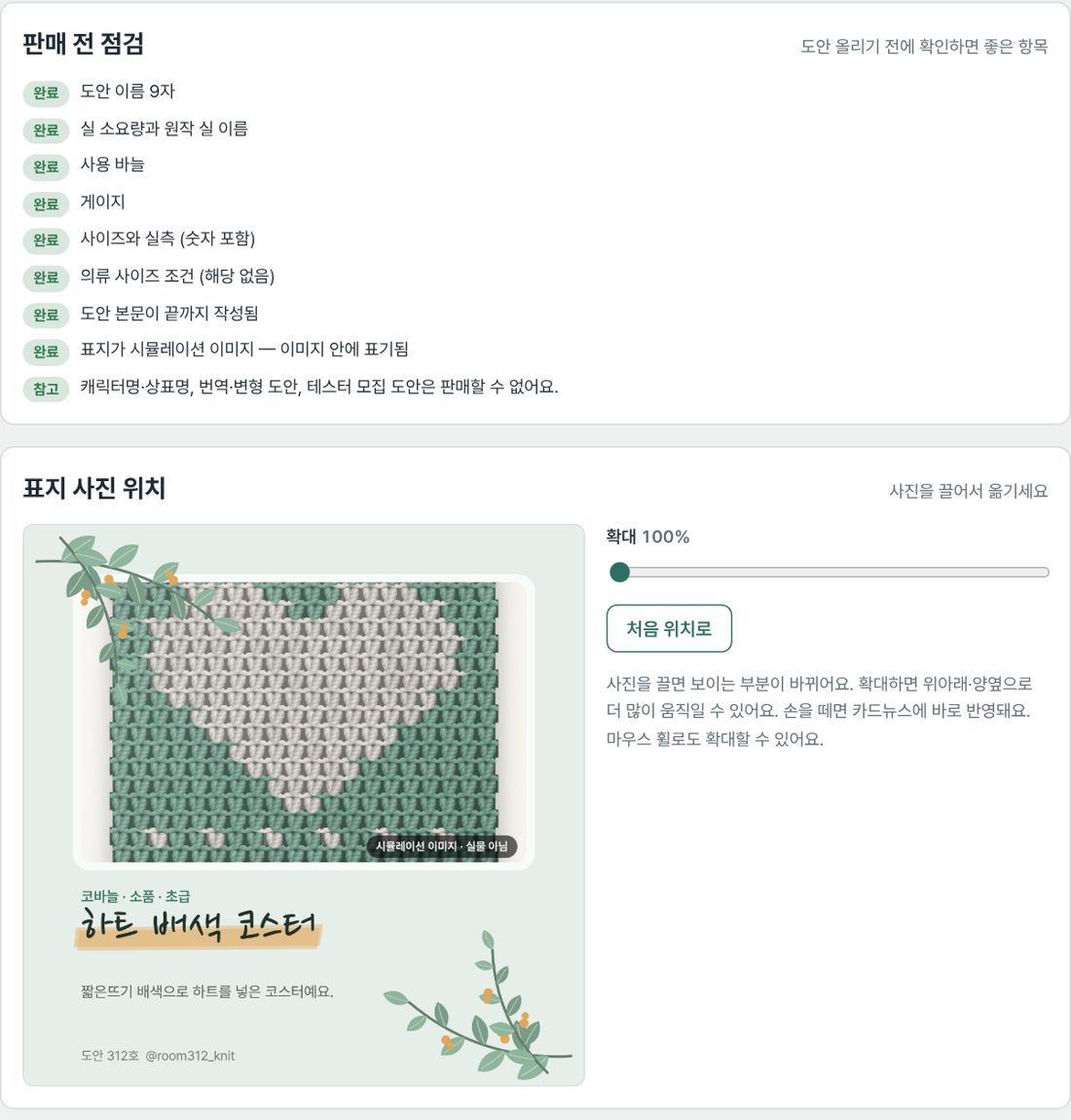
Add a photo of your finished piece and it becomes the cover. Drag the photo to move the visible area, and zoom in to crop it as much as you like. If you have no photo, the Preview image is used with a “simulated image” label.
There are 6 designs (leaves, sheep, cats, floral embroidery, check, and knit) and 8 colors. For the title lettering you can choose a handwritten pen, round handwriting, or bold sans-serif, and you can turn the highlighter on or off. Click “Suggest another combo” and one is picked at random.
Check before you upload
It automatically checks items such as pattern name length, yarn name and amount, hook or needles, gauge, size numbers, and, for garments, whether there are at least 3 sizes, and shows each as “Done / Check.”
Saving
- Save as PDF: each card becomes one PDF page.
- Save image set (ZIP): PNGs named 01, 02… in order, ready to post straight to Instagram.
- Just one card: click that card to save it as a PNG.
A product description is generated too, so use the “Copy” button to paste it into a sales page or a post.